The Evolution Continues: Video Editing is Here
What started as an audio-focused editing platform has grown into something much bigger. Today, we’re thrilled to announce that full video editing capabilities are now live in noclip.studio!
From Audio to Video
Our journey began with solving podcast editing challenges, but we quickly realized the same problems existed in video editing:
- Time-consuming manual editing processes
- Complex professional tools with steep learning curves
- Privacy concerns with content ownership
- Expensive software with unnecessary features
What’s New for Video
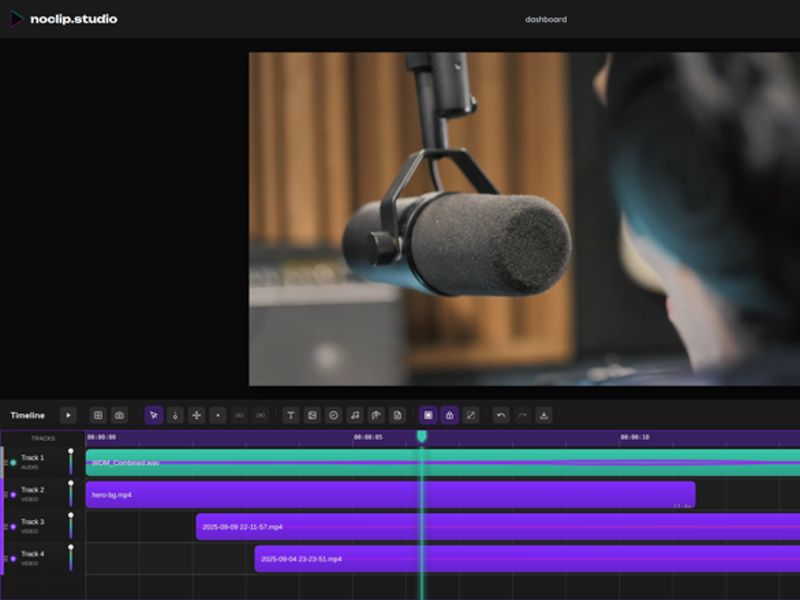
Professional Timeline Editor
Our timeline system now supports unlimited video tracks alongside audio, with the same smooth 60fps performance you’ve come to expect.
New Video Features:
- Multi-track video editing with drag-and-drop functionality
- Frame-accurate cutting for precise video trimming
- Visual waveforms for both audio and video tracks
- Smart snapping between video clips and markers
Canvas-Based Video Positioning
Position, resize, and transform video clips directly in the preview canvas:
- Drag-and-drop positioning with pixel-perfect control
- Resize handles with aspect ratio constraints
- Grid snapping for professional alignment
- Real-time preview of all changes
Advanced Effects & Animations
Transform your videos with our growing effects library:
- 20+ visual effects across 5 categories (Color, Blur, Artistic, Vintage, Cinematic)
- 17+ animation presets for dynamic content
- Real-time parameter controls with live preview
- Effect stacking for complex visual styles
Still Privacy-First
All our core privacy principles remain unchanged:
✅ 100% content ownership - Your videos belong to you ✅ No AI training - Your content stays private ✅ Transparent practices - Clear data handling policies
Perfect for Every Creator
Whether you’re creating:
- YouTube videos with professional multi-camera setups
- Social media content with quick cuts and effects
- Educational content with screen recordings and overlays
- Podcast videos combining our transcription with visual elements
Getting Started with Video
Ready to try video editing? Here’s how:
- Upload your video files - Supports all major formats
- Use familiar tools - Same interface you know from audio editing
- Add effects and animations - Enhance your visual story
- Export for any platform - Optimized presets for YouTube, Instagram, TikTok
What Our Users Are Saying
“The transition from audio to video editing was seamless. The timeline feels familiar but with all the video tools I need.” - Sarah J., Content Creator
“Finally, a video editor that doesn’t claim ownership of my content. The privacy-first approach sets noclip apart.” - Michael T., Filmmaker
Coming Soon
We’re not stopping here. Next up:
- AI-powered clip generation for social media
- Advanced color grading tools
- Collaboration features for team projects
- Mobile video editing for on-the-go creators
Questions about our video editing features? Get in touch - we’re here to help!